AI pathfinding in 3D space

Personal project/ Specialization

Genre:
Engine:
Language(s):
Platform(s):
Duration:
Team size:

AI/Pathfinding
TenGine (in-house)
C++
PC
4 weeks
solo

Overview

The goal with my specialization project was making some kind of 3D navigation mesh, and implement a pathfinding algorithm allowing a flying agent to navigate through an environment. I wanted the system to be easy to use and expand, to just be able to place this "navigation volume" anywhere and use it.
Background

When it was time to choose our specialization I wanted to do something with AI behavior since I had some experience in the field already, from TECHNOMANIA. And since I had a lot of fun during our pathfinding assignment I chose to delve into that niche.
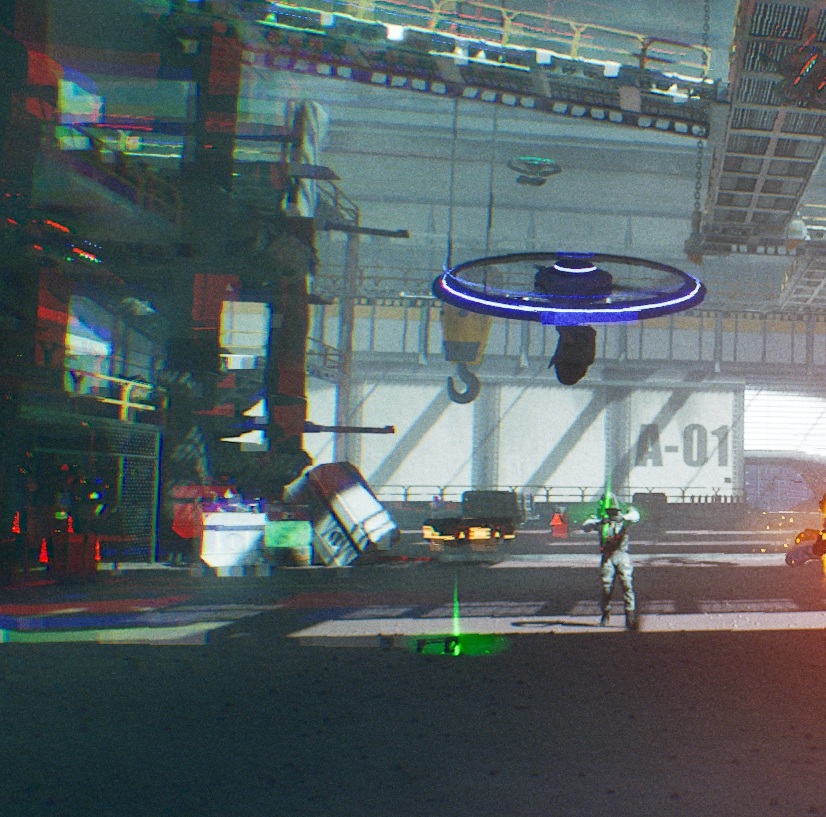
During the development of TECHNOMANIA, I was tasked with making behavior for a flying drone enemy. But there was no built-in pathfinding for flying agents, and I had to resort to other behavior tricks. (More details on the TECHNOMANIA page.) So I decided to try my hands on creating that kind of pathfinding.

I chose TenGine because I wanted to write in C++ in an environment I was familiar with, while not being handheld too much.

A TECHNOMANIA drone

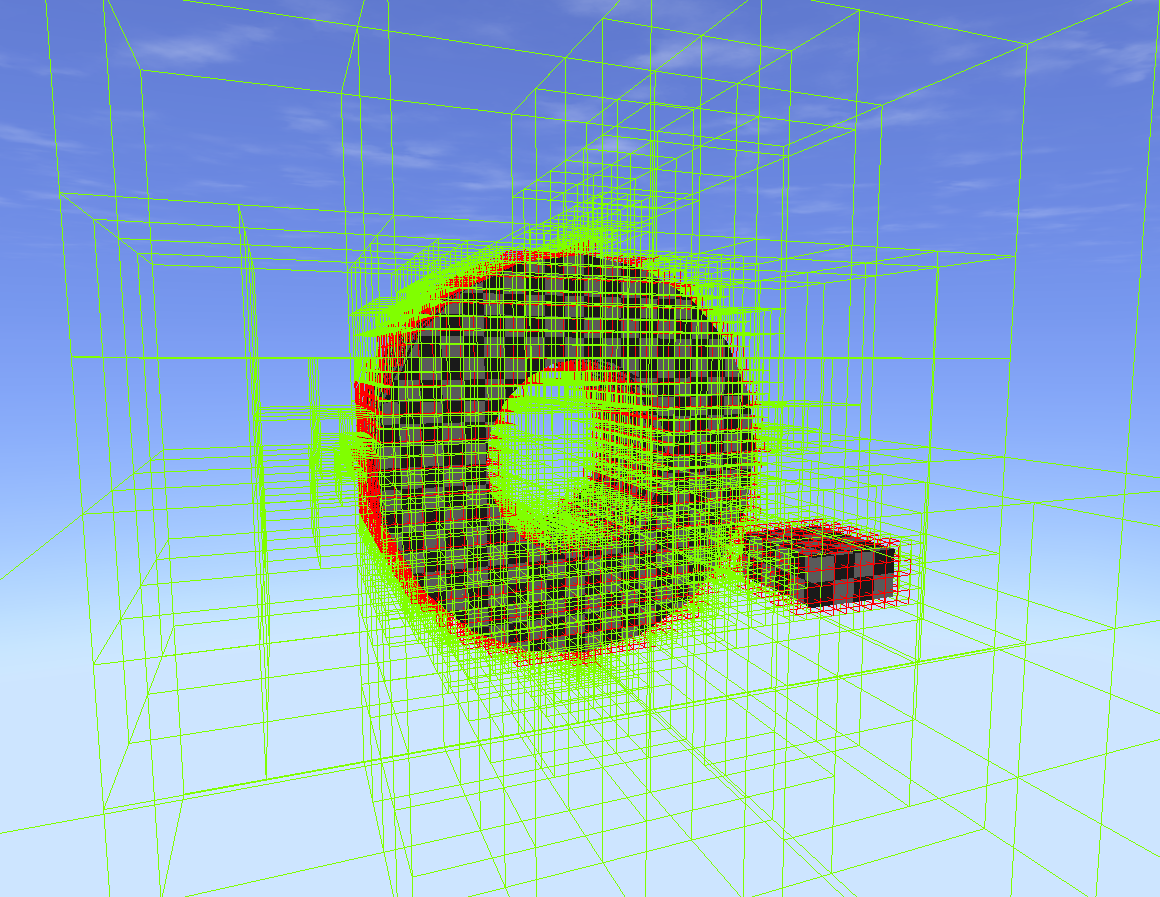
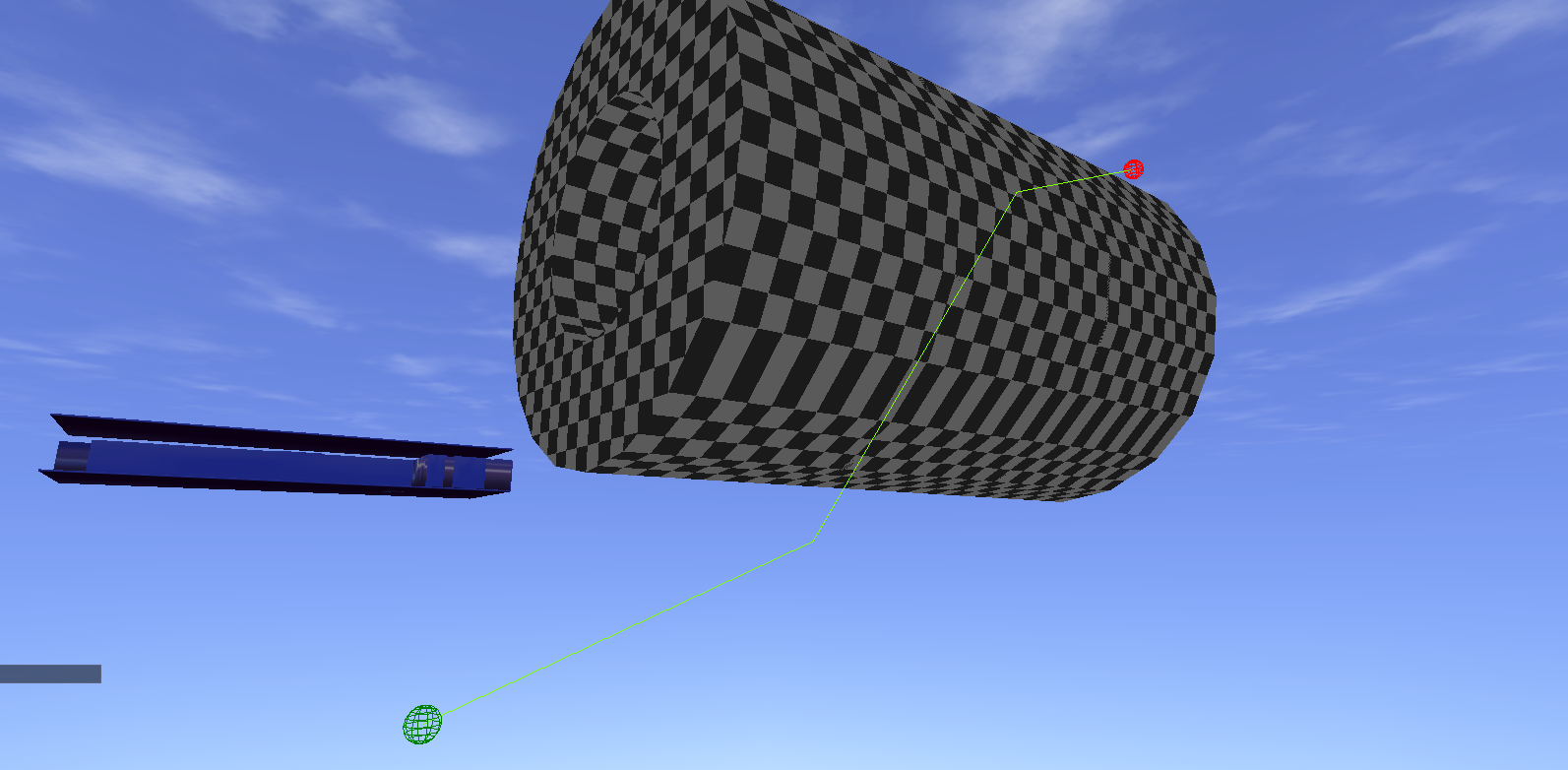
The navigation volume octree (red nodes are blocked)

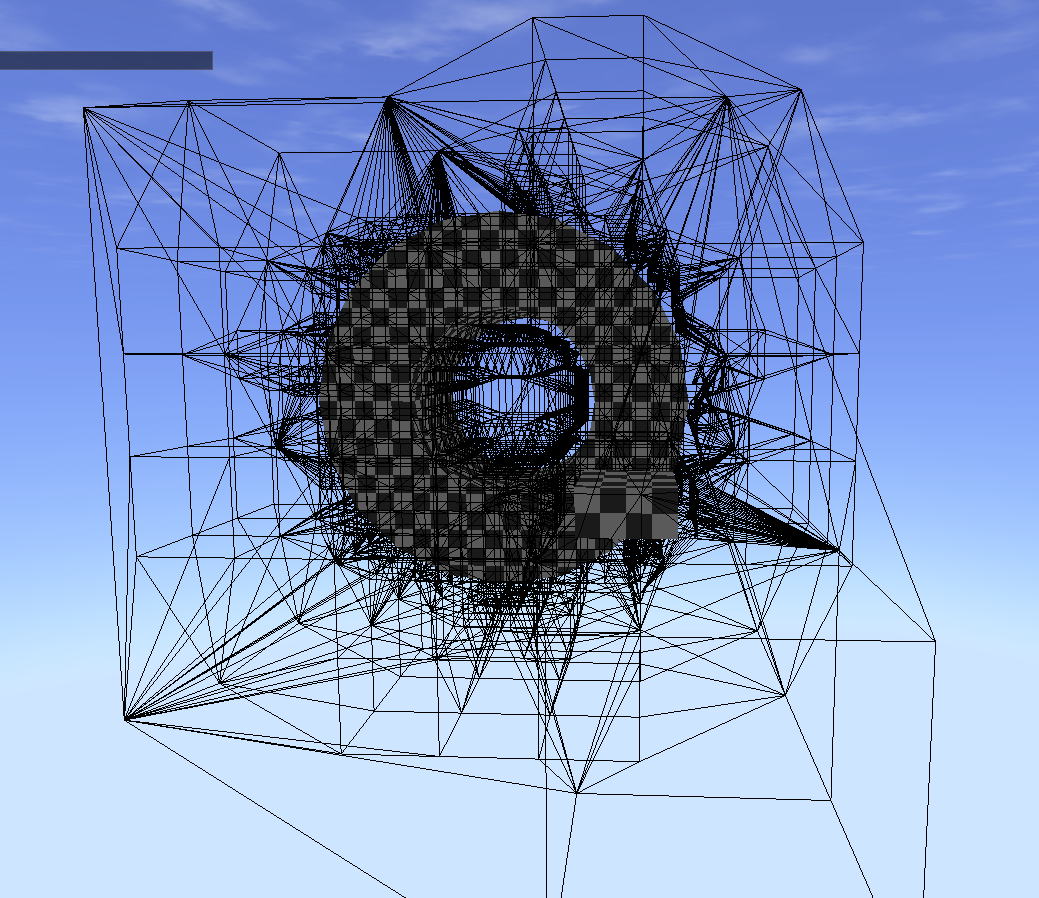
The navigation volume

Normally pathfinding is done on a navigation mesh generated on the surfaces the agents can walk on. Flying agents instead need a navigation volume to know where there is open space and where they can't go.
I could have created one by just dividing space into lots of small nodes and remove the blocked ones. But that would make the volume complex even in large open areas where it doesn’t need to be.

Instead I made the navigation volume out of an octree. If an octree node overlaps a collider it will subdivide into eight smaller nodes that also does the overlapping check. If a node overlapping a collider reaches a minimum size it will be counted as blocked and not be part of the final navigation volume.

I used axis aligned bounding boxes (aabb’s) as nodes for the octree, making overlapping checks very fast. It does however limit the shape of the volume to a cube.
One way to work around this could be to create other shapes to overlap parts that shouldn’t be covered. I didn’t implement this however.

My implementation of the navigation volume does not keep the entire octree in order to save memory, and can therefore only handle static colliders. If moving dynamic colliders are necessary it might be better to not use an octree to save on computing whenever something moves.

The first bigger challenge of the project was finding the neighbors for all of the octree nodes. Knowing the neighbors of all nodes is what makes it a navigation volume.

Since the nodes have very different sizes it turned out much more complicated than expected, if I wanted to avoid looping over every node and compare vertex positions. I eventually solved it, with some help from the internet.
Using multiple recursive functions, a leaf node looks in a direction. If the parent doesn’t have another child in that direction, it steps up a layer in the octree. If it does, it finds all leaf nodes of this child in the opposite direction, looking at size and specific location to only find neighbors of the original node.

It’s still a lot of computation, but it only needs to be done once during loading or pre-baking.

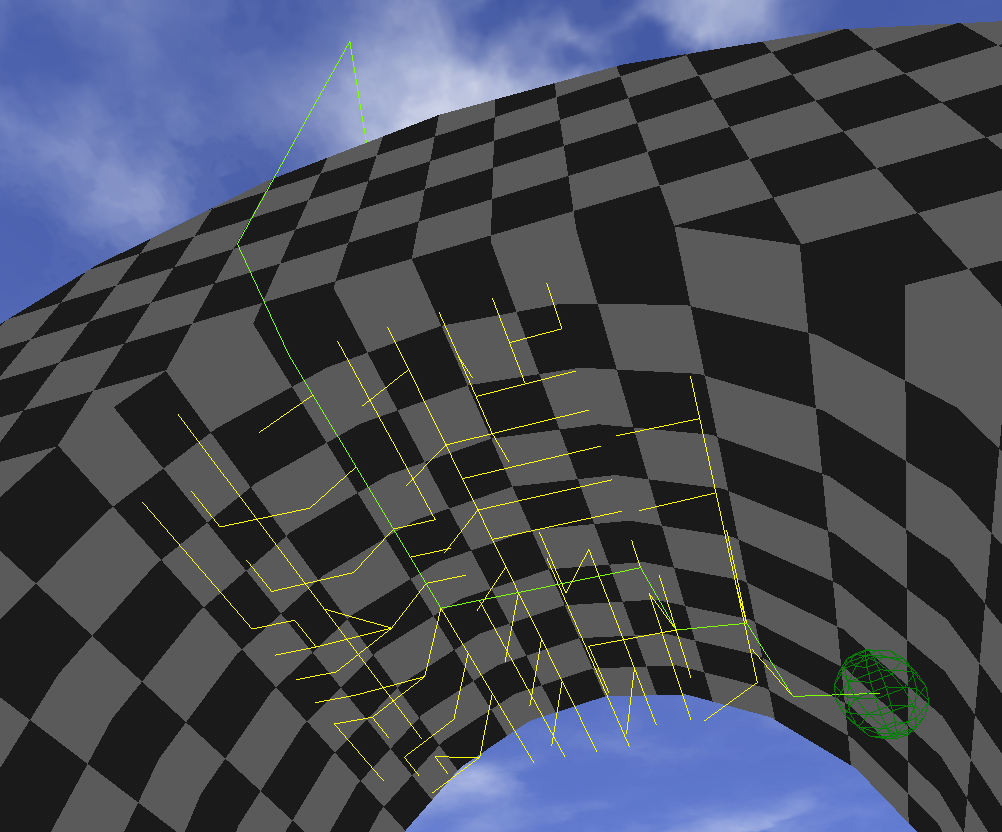
The lines show node neighbors

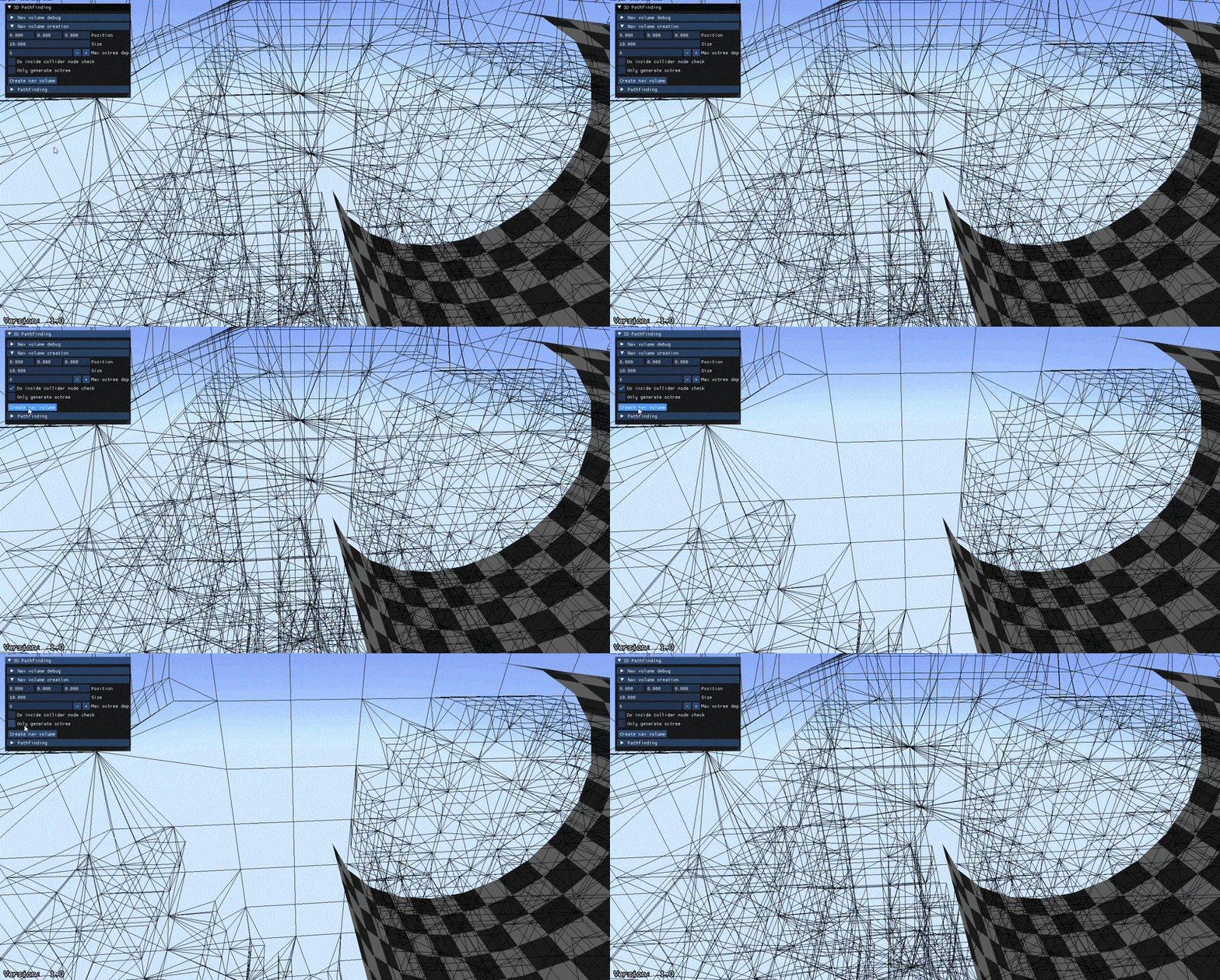
Toggling the inside collider check while standing inside a collider

Another problem I faced with the navigation volume was that the nodes only overlap with the edges of the collision models. This left gaps inside large colliders where the navigation thought it could pass through.

I ended up solving this by doing a final pass when generating the volume where every node not yet blocked does a sweeping line trace some distance away. If the line trace returns an odd number of collisions it’s inside an object, and blocked.
It’s not the most elegant solution, and sometimes the line trace perfectly hits two triangles on the same face. But it works most of the time.

Pathfinding

With the navigation volume in place I could implement the pathfinding algorithm. I decided to use the A* pathfinding algorithm since it works no matter how many dimensions you have, and because I used it during our pathfinding assignment.

A* works by opening the start node and looking at its neighbors. The neighbors are then sorted into a list depending on their score. The score is calculated by estimating the distance to the finish node using a heuristic function, and the distance needed to get to the neighbor from the start. The opened node is then set as the “parent” of the neighbor node.
If the node’s score was already calculated, but the new score is better, it will instead point to the new node.
Then the node with the lowest score is opened and its neighbors calculated.

This continues until the goal node is reached, where it will backtrack using the parent node pointers. The backtrack creates the path with the lowest score, which is the shortest.

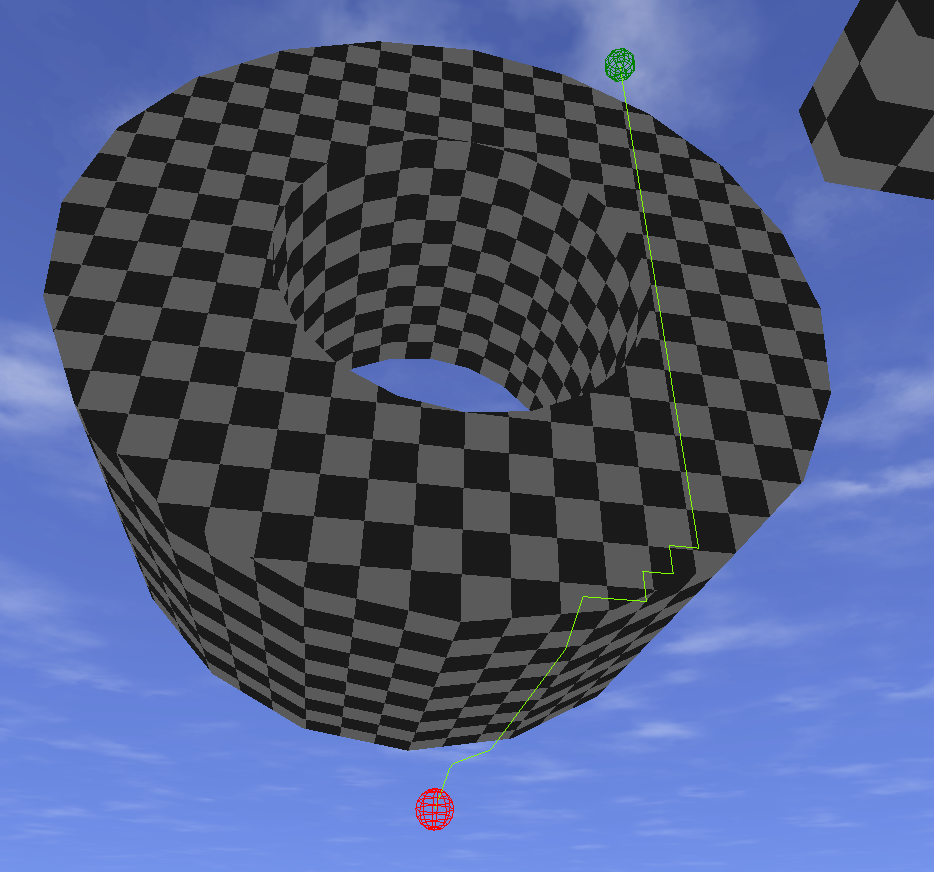
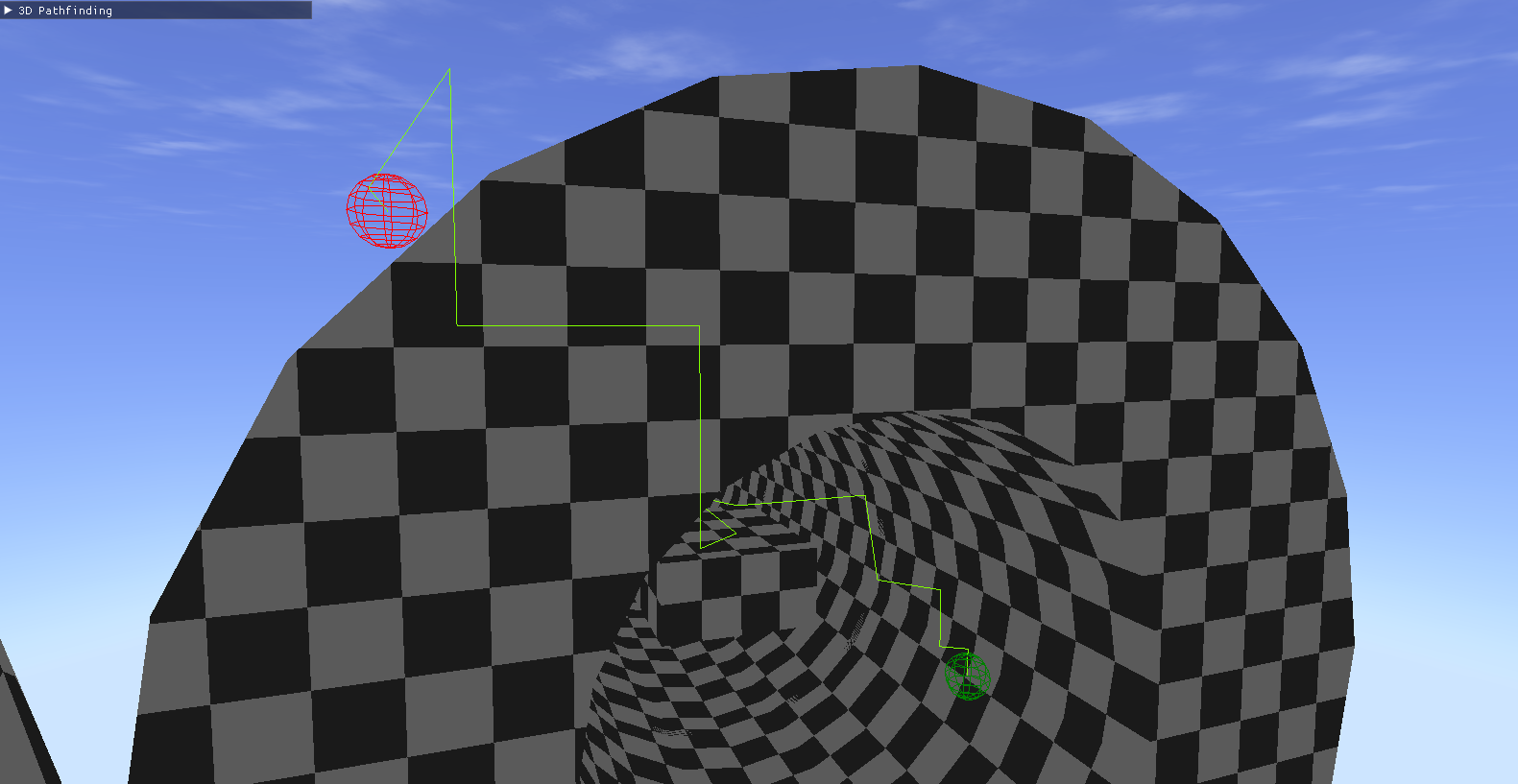
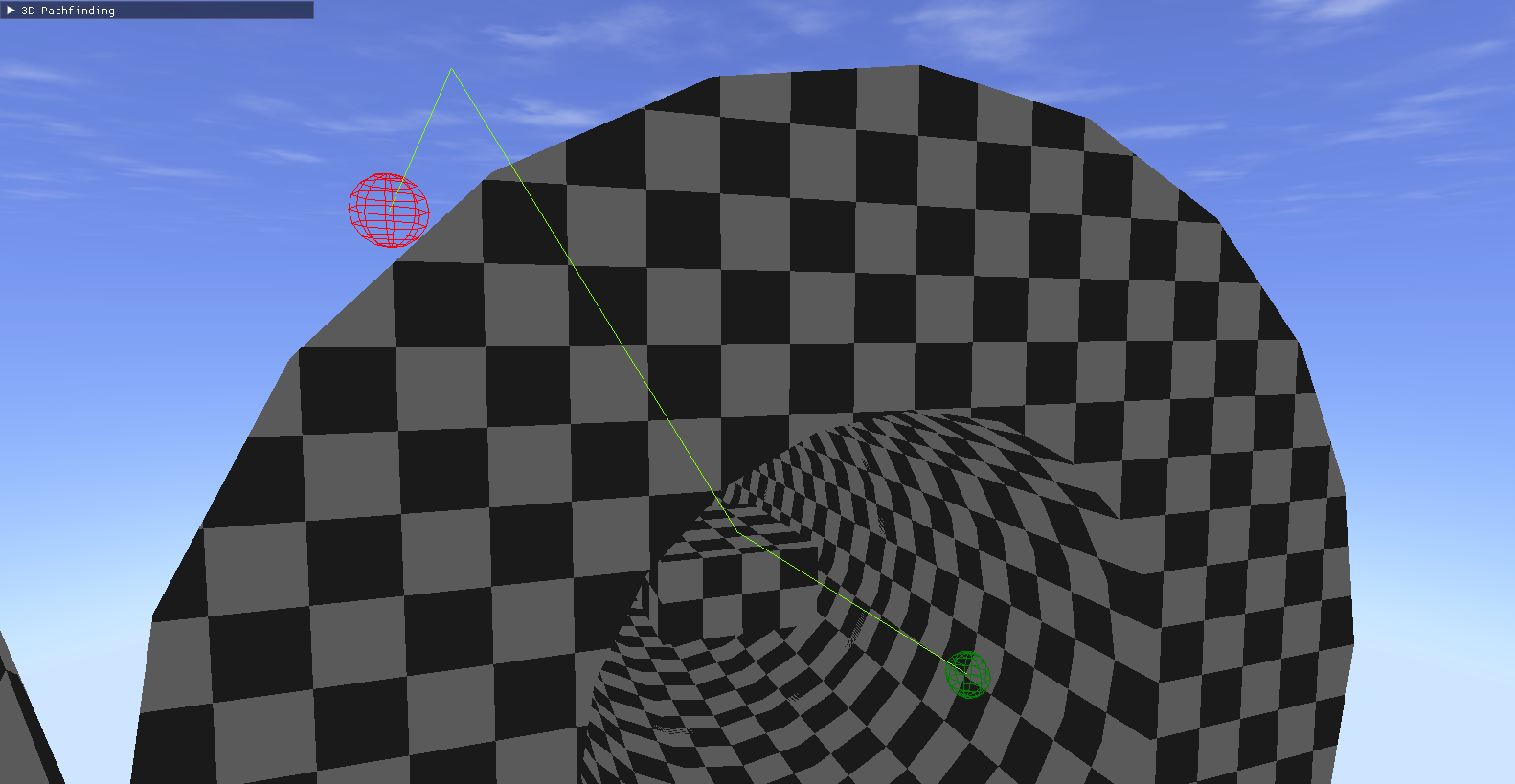
Path found by the algorithm

Yellow lines are opened nodes

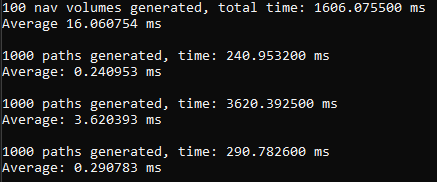
Measured time (random paths).
From top; Navigation volume, A*, Theta*, Post Processed A*

Modifying the algorithm

Normal A* creates a path that travels from node to node in a not so optimal way. To fix this I looked into an algorithm called Theta*.
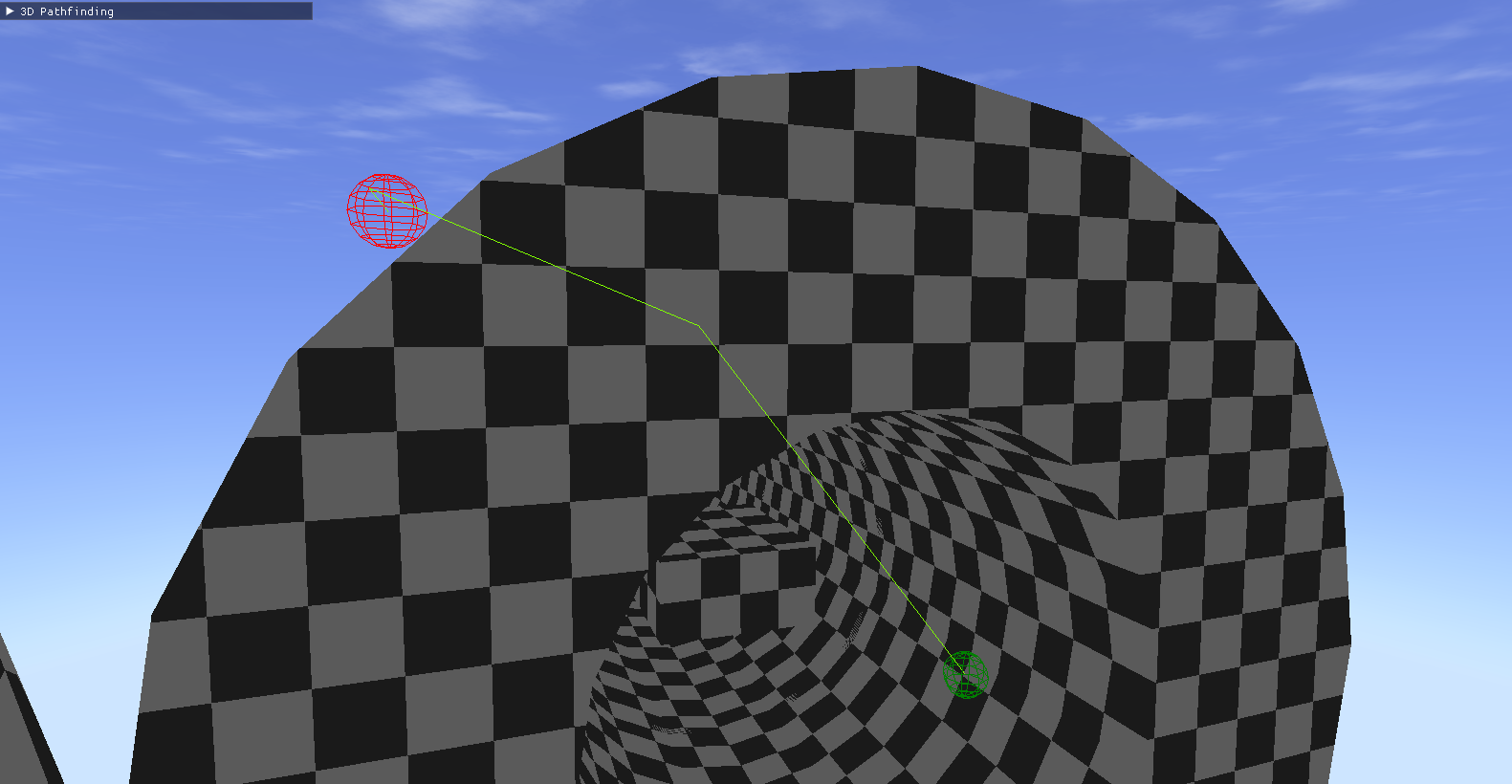
Theta* is the same as A*, except it checks if the opened node’s parent has line of sight with the neighbor. If it does, the opened node’s parent is set as the parent of the neighbor as well.
This algorithm gave very nice and straight lines. But I used a line trace to make the line of sight check, which is not a very fast operation. So my Theta* implementation ended up being much slower than normal A*.

But I had new ideas. I made another algorithm, the same as A*. But when backtracking I made line of sight checks, like Theta*, to keep the parent node if the new node can see it.
This gave paths that were almost as good as the Theta* implementation, while being just a tiny bit slower than the normal A* implementation.
I don’t know if it has an actual name, or if this is just actual Theta* and I had misunderstood, but here I call it “Post processed A*”.

Normal A*

Theta*

Post processed A*

Navigating agent

What good is a pathfinding algorithm without something to follow the paths? Meet the Sphere, my brave test subject.

To make it follow paths nicely I need to modify what the algorithm spits out slightly. Since neither the agent or target have to be in the middle of a node the start and end points are switched out to the current and target position. A line of sight check is also done to see if the target is actually reachable.
This had the unintended effect of allowing the agent to follow me outside of the navigation volume as long as there are no obstacles, which was kinda cool.

I also made it able to follow the player by finding a new path after a small amount of time. Not super fancy, but it ended up working surprisingly well.

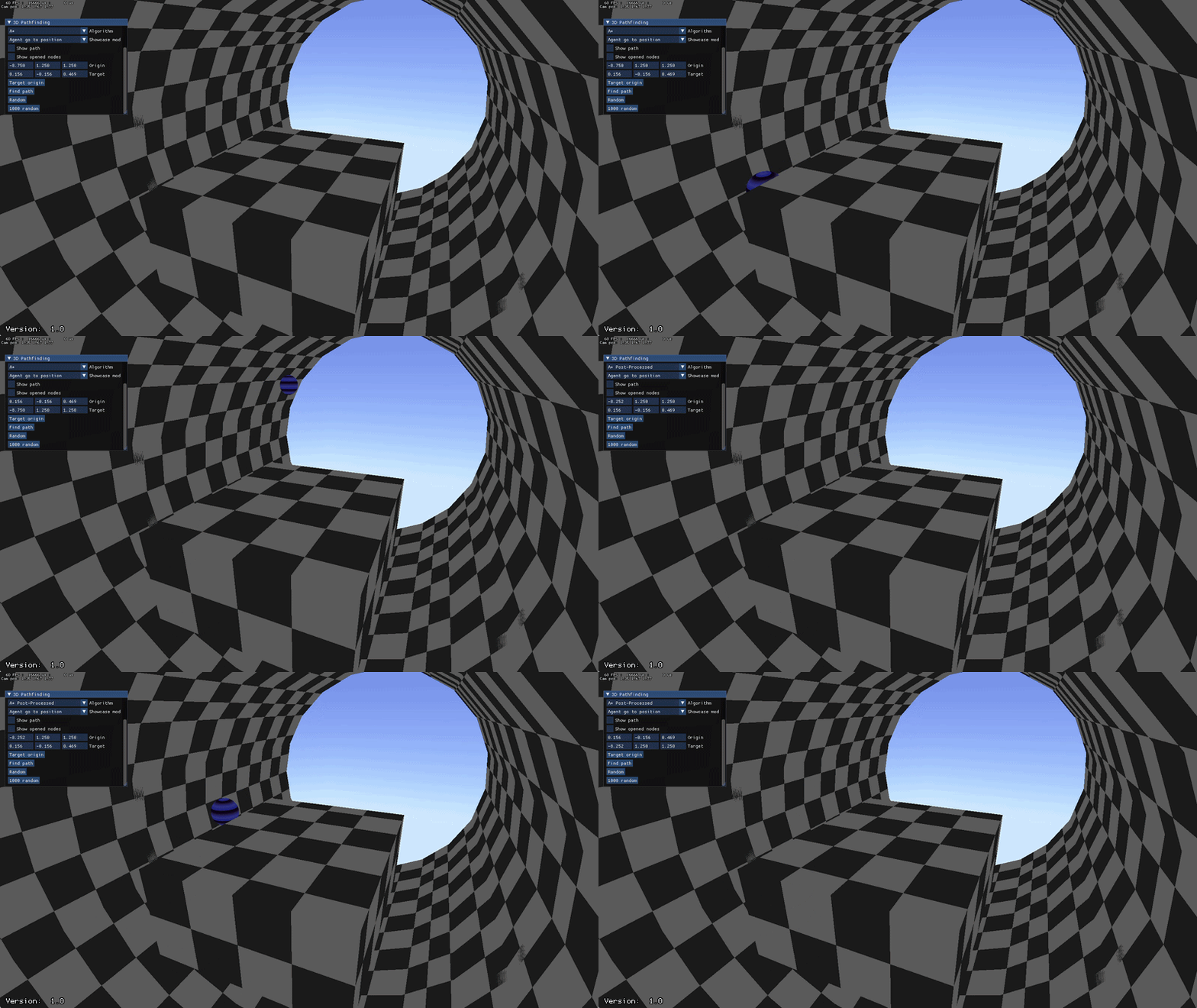
Toggling between normal and post processed A*

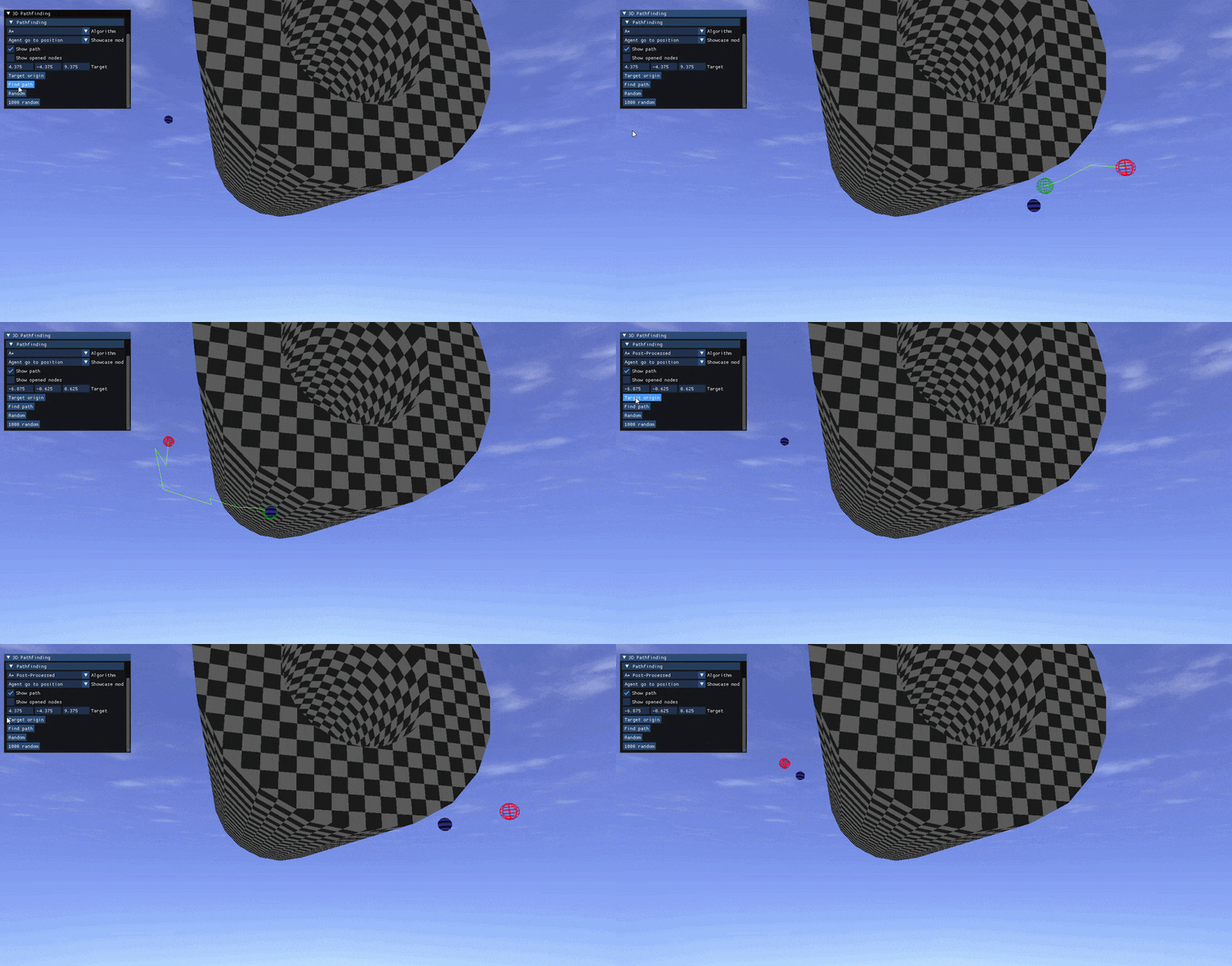
Same as before but showing the path

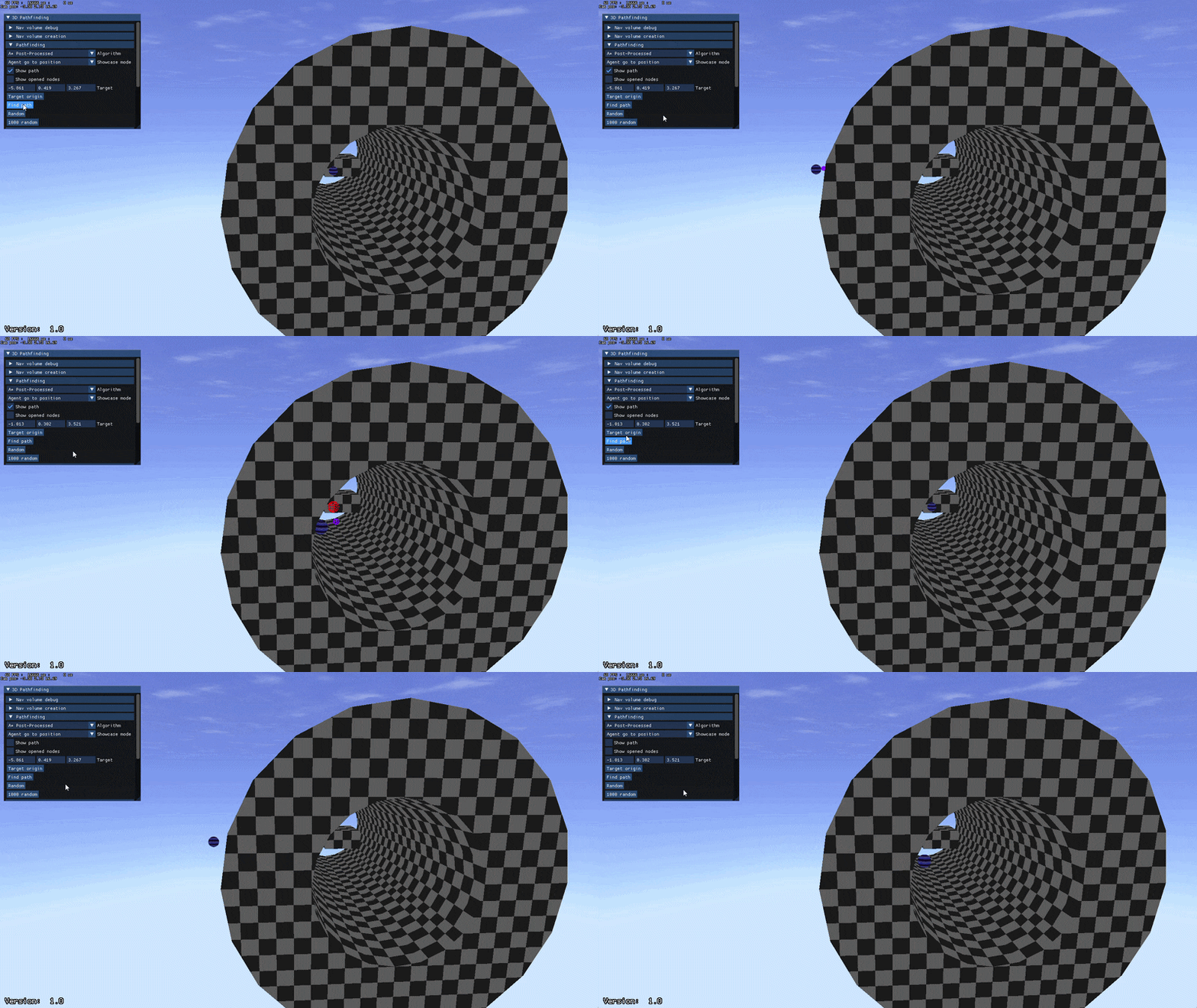
Path smoothing in action (purple line shows target)

Path smoothing

While the agent can take straight paths through the terrain, it still makes very sharp and unnatural turns. I only had a few daysleft , but I wanted to give it a shot either way.

My idea was to have the agent look some distance ahead on the path it was following. If the way to where it looked wasn’t obstructed it would target where it was looking instead of the old target. This made it take corners much smoother.

It works most of the time, but has some flaws I didn’t have time to iron out. It will still take sharp turns if it can't optimize the path, and if the obstacle is way too close it will not be able to update its target and get stuck targeting its own position.